
Early access — MarkFoundry is live and actively improving based on user feedback.
MarkFoundry turns Markdown into professional documents.
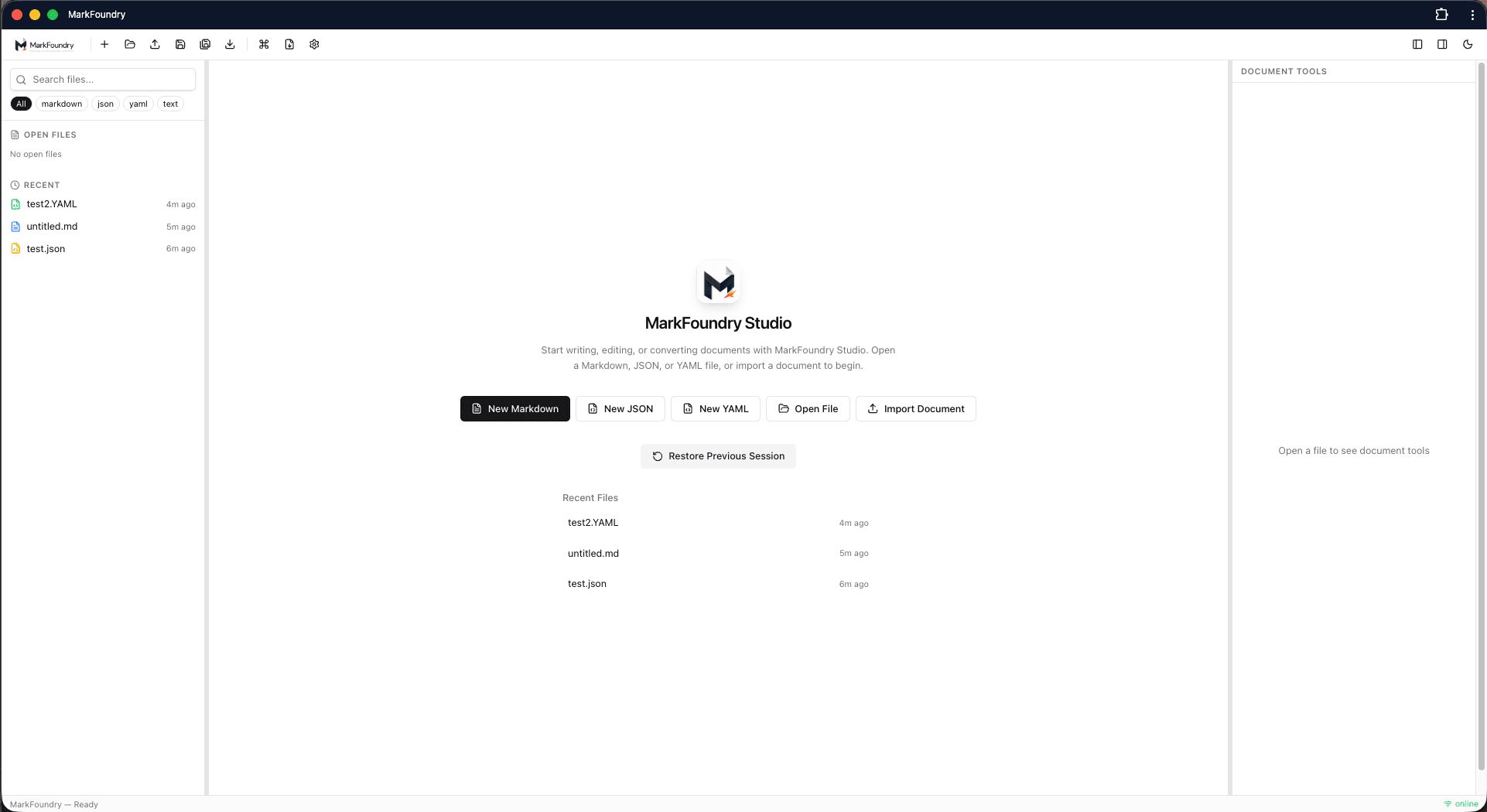
Write, preview, validate, import, export, and organize structured documents from one clean web workspace.
Files
- proposal.md
- config.json
- schema.yaml
# Project Proposal
## Overview
Write, preview, and export...
- Markdown editing
- Live preview
- PDF export
Project Proposal
Overview
Write, preview, and export professional documents.
- Markdown editing
- Live preview
- PDF export
Tools
Outline
TOC
Export
A professional document workspace
MarkFoundry is a professional document workspace for Markdown, JSON, YAML, and structured writing. It helps users write, preview, validate, import, export, and organize content from one clean browser-based workspace.
- Professional document workspace
- Live at markfoundry.app
- Installable PWA for local use
- Markdown, JSON, and YAML support
- Import and export workflows
- Browser-based with local file access
MarkFoundry is developed by Digital Safari.
MarkFoundry is in early access — live and actively improving based on user feedback. Built by Digital Safari, a team focused on practical document tools for writers, researchers, and technical teams.
Developed by Digital Safari.
What's next
- Pro checkout and Team/Enterprise tiers
- Expanded offline workflows and templates
- Continued export quality and conversion improvements
Built for focused writing
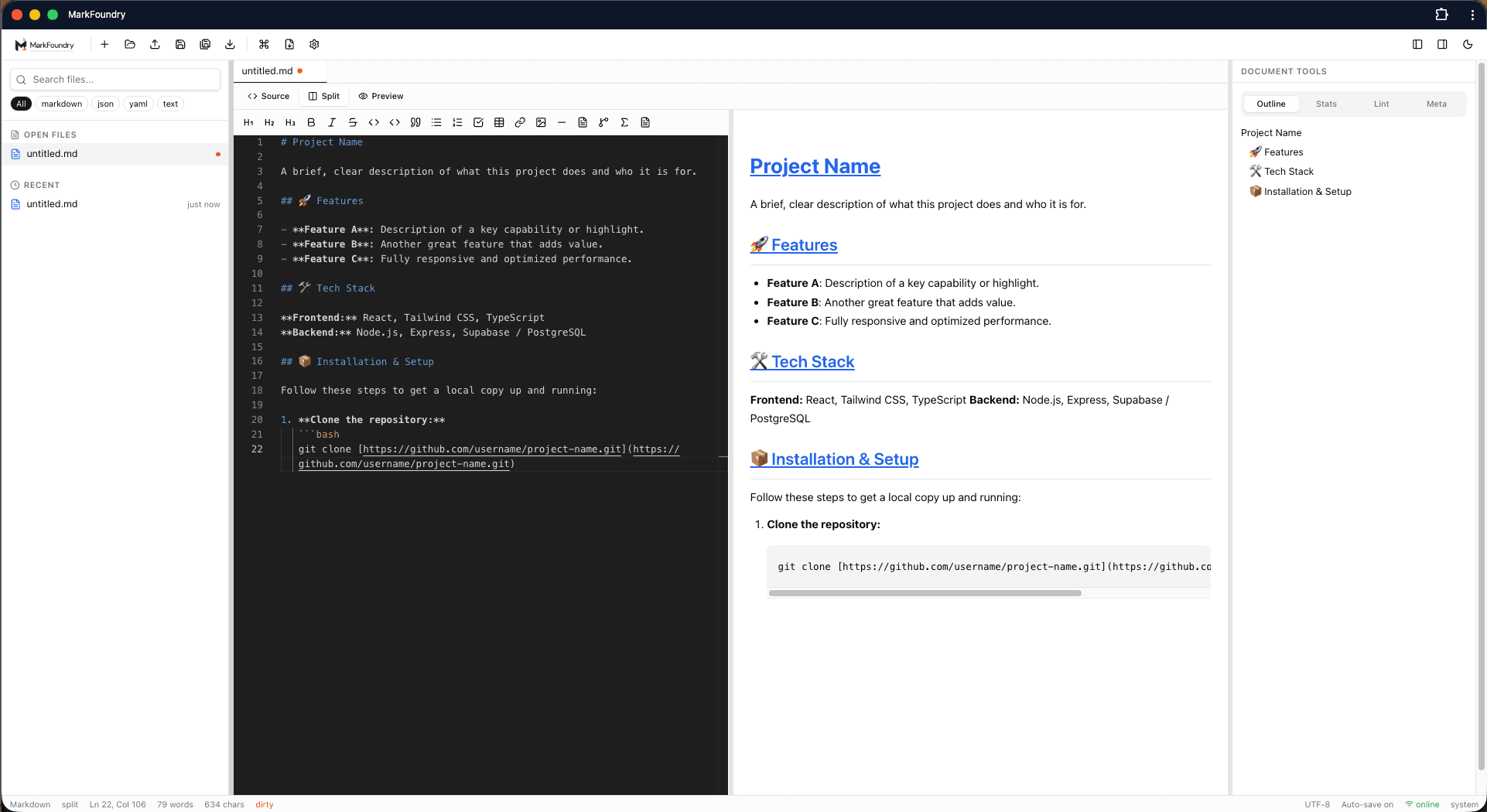
A clean workspace with file explorer, tabs, editor, preview, and document tools.
Files
- proposal.md
- config.json
- schema.yaml
# Project Proposal
## Overview
Write, preview, and export...
- Markdown editing
- Live preview
- PDF export
Project Proposal
Overview
Write, preview, and export professional documents.
- Markdown editing
- Live preview
- PDF export
Write Markdown and see the rendered output update in real time.
Why MarkFoundry
One workspace for structured writing
Manage Markdown, JSON, YAML, and text files without switching between multiple tools.
Professional document output
Export polished PDF and DOCX documents from clean Markdown source content.
Local-first privacy
Work with files on your device and recover drafts from browser storage when needed.
Built for writers and developers
A practical workspace for documentation teams, researchers, and technical writers.
Import and export
Bring documents in and send polished files out.
Import from anywhere
Bring in DOCX, PDF, HTML, TXT, and web pages to start editing in Markdown.
Export with confidence
Generate PDF, DOCX, HTML, and text files with structured formatting preserved.
Markdown, JSON, and YAML
Write with GitHub Flavored Markdown, preview live, and export professionally.
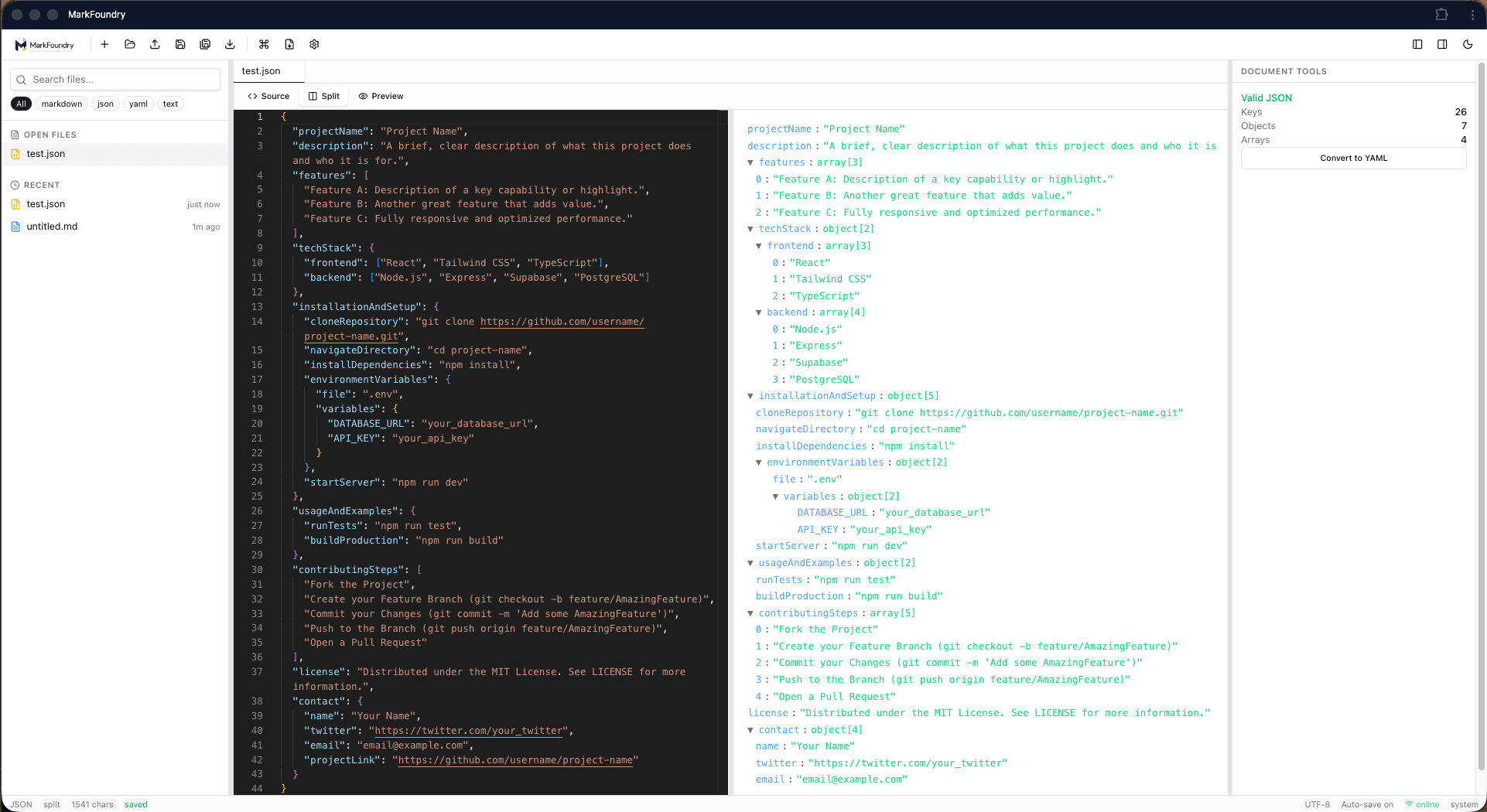
Edit, format, validate, and inspect JSON with clear error feedback.
Work with configuration and data files using validation and tree views.
Local-first and privacy
Work with files on your device and recover drafts from browser storage.
- Open files directly from your device
- Recover unsaved work from browser cache
- Control what stays on your machine
- No account required for core editing
On your device: Markdown, JSON, and YAML editing, live preview, validation, workspace state, recent files, and unsaved draft recovery all run in your browser. No account is required.
Sent to the conversion service: Only when you request PDF or DOCX export, or DOCX import — your document content is transmitted over HTTPS, processed temporarily, and returned. It is not stored permanently by default.
Conversion service
Heavy PDF and DOCX conversions run through a separate Docker service powered by Pandoc — only when you export or import documents.
Editing, preview, and validation stay in your browser. The conversion service is used only for export and import operations.
Simple pricing
Start free. Upgrade when you need advanced exports and team features.
Complete user guide
Step-by-step instructions for writers, researchers, and technical teams.
Resources and comparisons
Guides for choosing a Markdown editor and how MarkFoundry compares to Typora and Obsidian.
Ready to forge your next document?
Open MarkFoundry and start writing in Markdown, JSON, or YAML today.